Catch up on receipts
Receipts, bills and income from Gmail, your bank and cards, including past years. New ones keep coming in.
ExpenseBot uses AI to pull receipts and income from Gmail, match receipts to bank and card charges, and organize everything in Google Sheets you own — showing profit, cash flow and what needs your attention.
"The expense reports being generated are phenomenal. As a sole proprietor with an LLC, my expenses are intermingled with personal accounts — this service is absolutely incredible for sorting out the mess. I'll be happy to recommend you guys."
"As an accountant juggling a dozen clients' books, ExpenseBot is the first tool that fits how I actually work — I move between each client's account, their receipts land straight in their own Google Sheet, and it all exports cleanly into QuickBooks. It's taken the receipt-chasing out of my month."
ExpenseBot finds your receipts, bills and income in Gmail, your bank and cards, files them in a Google Sheet you own and flags possible deductions. No data entry.
Past-year Gmail scans are an optional purchase.
Receipts, bills and income from Gmail, your bank and cards, including past years. New ones keep coming in.
Profit, cash flow and income by source, updated every day.
A weekly email on bills due, low cash, spending jumps and tax to set aside.
An income statement and accountant worksheet, with Schedule C (US) or T2125 (Canada) pre-filled. Send it to your accountant or accounting software.
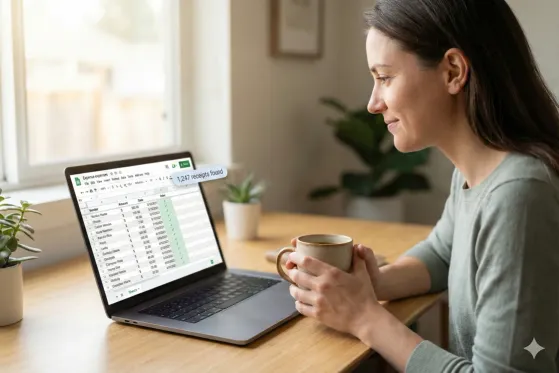
Receipts, invoices, payables, income notices — Amazon, Uber, hotels, airlines, SaaS — going back as far as your Gmail goes. Connect once and wake up to them read, sorted and filed. No forwarding rules, no manual uploads, no missed receipts.
60-day free trial · No credit card required

Try asking: “Add $24 for parking”


Built natively for Google — not bolted on. Your Gmail. Your Drive. Your Sheets. Your Photos. Nothing new to learn.
Works with your AI and automation tools.
ChatGPTClaudeGemini SparkGitHub CopilotVS CodeMCPZapierMake
ExpenseBot connects with ChatGPT, Claude, Gemini, GitHub Copilot, VS Code, and other MCP-compatible agents — including Claude Desktop, Claude Code, Cursor, Cline, Windsurf, Continue, Gemini CLI, and Codex.

Tax deduction rules for the US, Canada, UK, Australia, New Zealand, Ireland, France & Germany show the exact % you can deduct. At tax time, get a filled Schedule C or SE (US) or T2125 (Canada), or a draft ATO/myTax (Australia) or SA103F (UK) worksheet to check and file yourself. Scan past years and recover deductions you missed.
See supported countries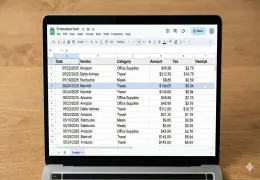
Photos, forwarded emails and your Gmail history become rows with vendor, amount, date, tax and category. No new software to learn: it's just a spreadsheet.
See the Sheets expense tracker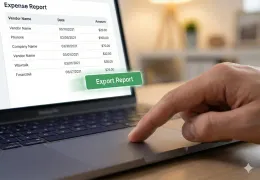
An expense report for reimbursement, a tax-ready pack for your accountant, or a profit and loss summary. Send it to QuickBooks, Xero, Sage or FreshBooks in one click.
See year-end reports
Income from Stripe, PayPal, invoices and cash sits next to your expenses, so you can see whether last month was a good one.
See the income & P&L trackerStart in 30 seconds — your expense records live in YOUR Google Drive. No credit card required.
Start Free TrialJoin 2,500+ businesses already tracking expenses
Your receipt files and reports live in YOUR Google Drive.
Your receipts on their servers. Your data locked in their system. Export fees to get YOUR data.
Durable receipt files, spreadsheets, and reports live in YOUR Google Drive. You own those files and can access them anytime. Limited service metadata and temporary processing are covered in our Privacy Policy.
Perfect for compliance, audits, and peace of mind. Your CFO and legal team will love this.
Who ExpenseBot is for
Five ways people use ExpenseBot. Find yours.
Stop guessing whether you made money.
Snap it, submit it, get paid back.
Your team spends. Your books stay clean.
Deploy via Google Workspace Marketplace in 30 secondsAvailable through Google Cloud Marketplace: pay on your Google Cloud bill
Stop chasing clients for receipts.
Set up a client team.
60-day free trial · No credit card required
When you're freelancing or running something small, you don't really know how the year actually went until it's over — when you hand it all to your accountant, or burn one annoying weekend doing the books yourself. Months after the fact, either way.
I've been in that position too, building startups — waiting on someone else to tell me how we actually did.
You get that hit of relief when the numbers finally land. But the whole year leading up, you're guessing. I built ExpenseBot so you never have to.
AI agents that actually do the work — not just help you do it faster. Receipts get found. Income gets logged. You see your profit as you go. Then it's all packaged up — so you already know your numbers, and whoever closes the books (your accountant, or you) has everything they need.
Your expense records stay in YOUR Google Drive. You own them.
Result: No more shoebox of receipts. No more Sunday-night panic. No more flying blind.
Tired of the receipt scramble — and never really knowing your numbers? Email me: founder@expensebot.ai
— Rob Balahura, Founder (LinkedIn)
Previously: 2 exits. Now fixing this for good.
🍁 Proudly Canadian
Connects to your accounting
QuickBooks OnlineXeroZoho BooksWaveFreeAgent
Reviewed exports for Sage 50, Sage Intacct, FreshBooks, NetSuite, and Business Central.
Join 2,500+ businesses already tracking expenses
ExpenseBot automatically scans your Gmail for receipts overnight, reconciles your credit card statements monthly, and generates expense reports in Google Sheets. Durable receipt files, reports, and spreadsheets live in your Google Drive. You can snap photos, forward emails, or bulk upload PDFs. AI extracts all details (amount, tax, tip, vendor, date) and validates against your expense policy.
ExpenseBot integrates directly with QuickBooks Online, Xero, Sage 50 Canada, Sage 50 US, NetSuite, Zoho Books, FreshBooks, and Business Central. One-click export with proper GL mapping for each system.
ExpenseBot costs €10 per seat per month, or €100 per seat per year. 60-day free trial, no credit card required. Monthly includes new receipts and rolling 60-day scanning; Annual adds current-year email receipt scanning. Both include this year's Year End, statements and bank connection while subscribed. €79 buys one past year: Year End workbook, bank statements and Gmail receipt scan for that year. €199 buys all past years: the same for every completed year available at purchase. If your tax year doesn't follow the calendar (UK, Australia, NZ, India, South Africa), you get a tax year instead of a calendar year. Accountants get free unlimited access to manage client expenses.
ExpenseBot completed a 2026 CASA Tier 2 independent security assessment. Durable receipt files, reports, and spreadsheets are stored in your Google Drive. To maintain your connection, ExpenseBot stores Google OAuth tokens as integration credentials in Google Cloud Firestore, which encrypts data at rest. Access is revocable, and temporary processing is disclosed in the Privacy Policy.
Yes. ExpenseBot is built specifically for Google Workspace. Deploy company-wide in 30 seconds via the Google Workspace Marketplace. Employees use their existing @yourcompany.com login. No app downloads, no new passwords, no IT project required. ExpenseBot completed a 2026 CASA Tier 2 independent security assessment.
Yes. ExpenseBot handles currency from any country and converts it to your home currency using the exchange rate from the receipt date.
Yes. ExpenseBot tracks income from Stripe, PayPal, invoices, and cash alongside your expenses. You get automatic profit & loss reports by client and month — so you know your real profitability year-round, not just at tax time. See the income & P&L tracker at expensebot.ai/income-expense-tracker.